

ZAPP
Zap through CS · by CS with ZAK · iPhone, iPad & Android
The whole site.
In your pocket.
Even offline.
36 labs that run with no signal, every real past paper to write on and have marked, AskZ with your photos and PDFs, flashcards that come back when you forget, ZAK's books and classes — and the countdown to your next paper in your Cambridge zone's Key Time. Built by ZAK for the students he teaches, and for you.
iOS 17+ · Android 9+No account neededSyncs with cswithzak.comReal screenshots from ZAPP for iPhone
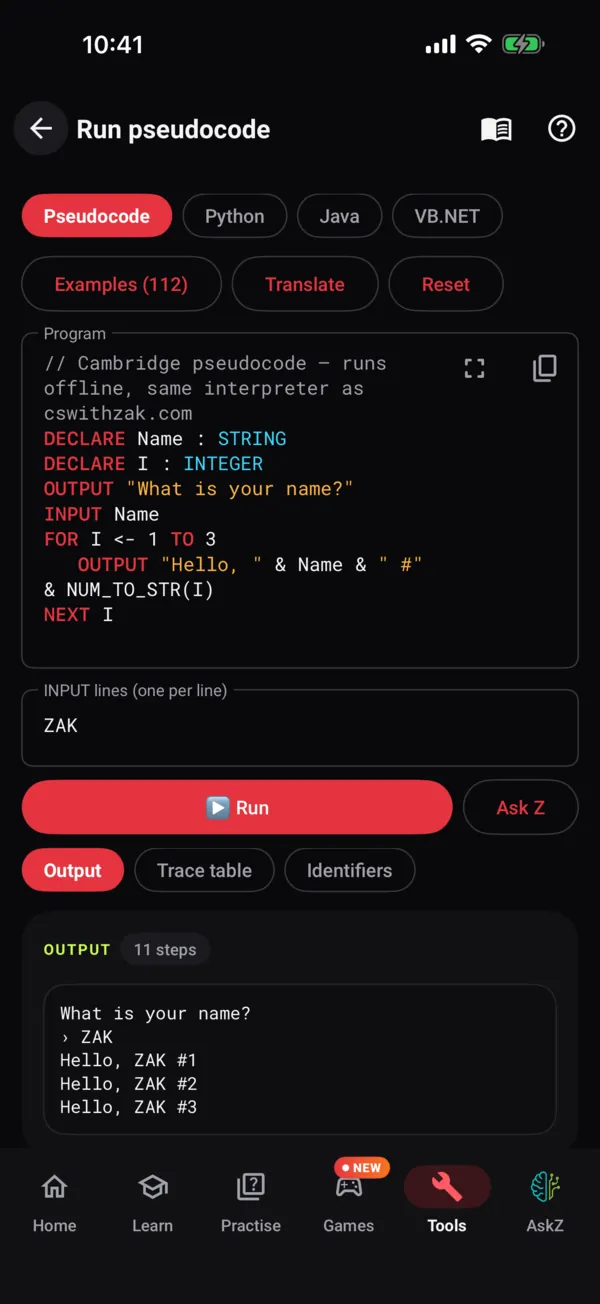
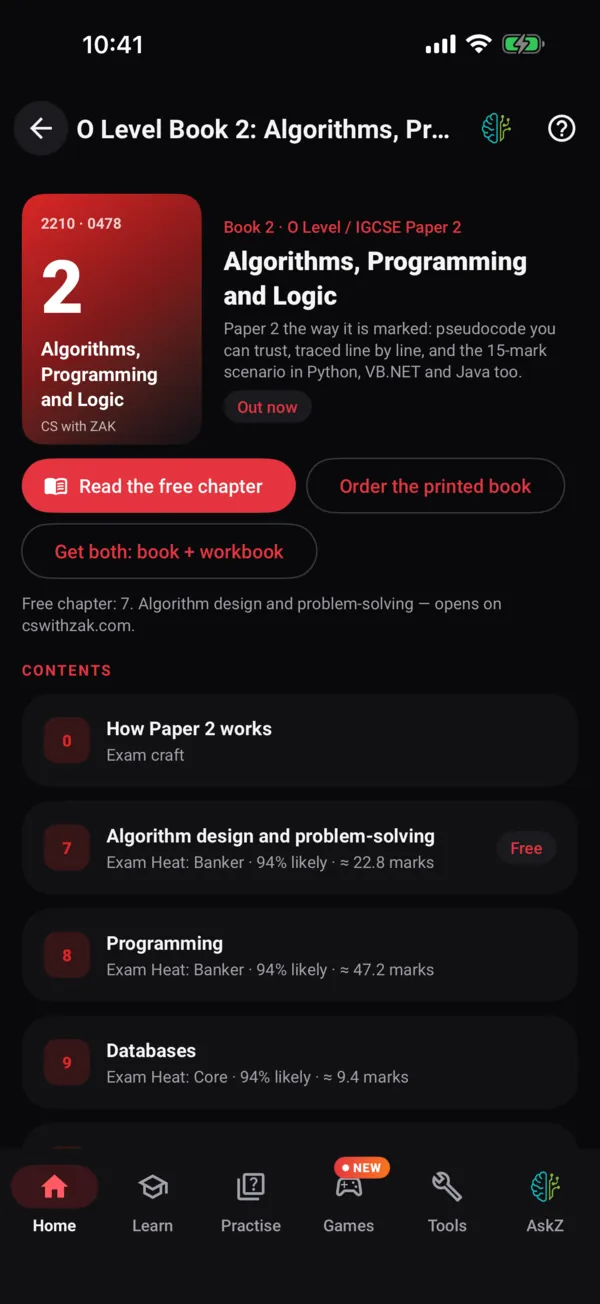
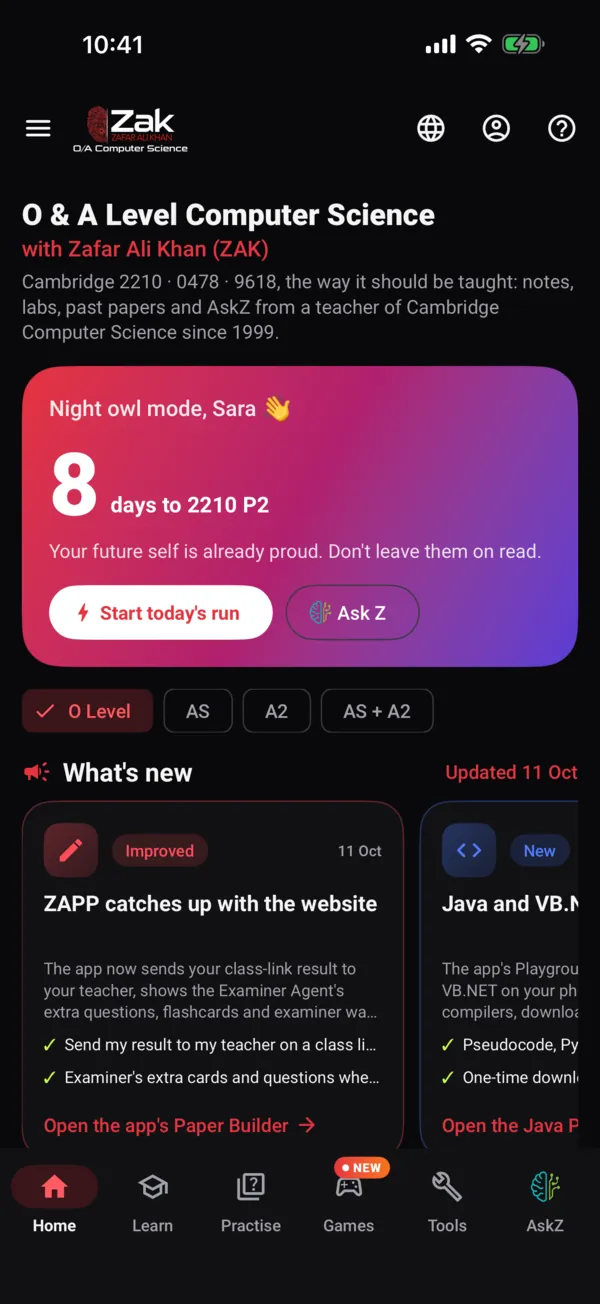
36
labs, offline
3,400+
real past-paper questions
1,600+
quiz questions
1,700+
flashcards
0
ads. Forever.
New in ZAPP
Just landed on your phone.
The app follows the website closely: when something ships on cswithzak.com, it arrives in ZAPP on Android and iPhone soon after.
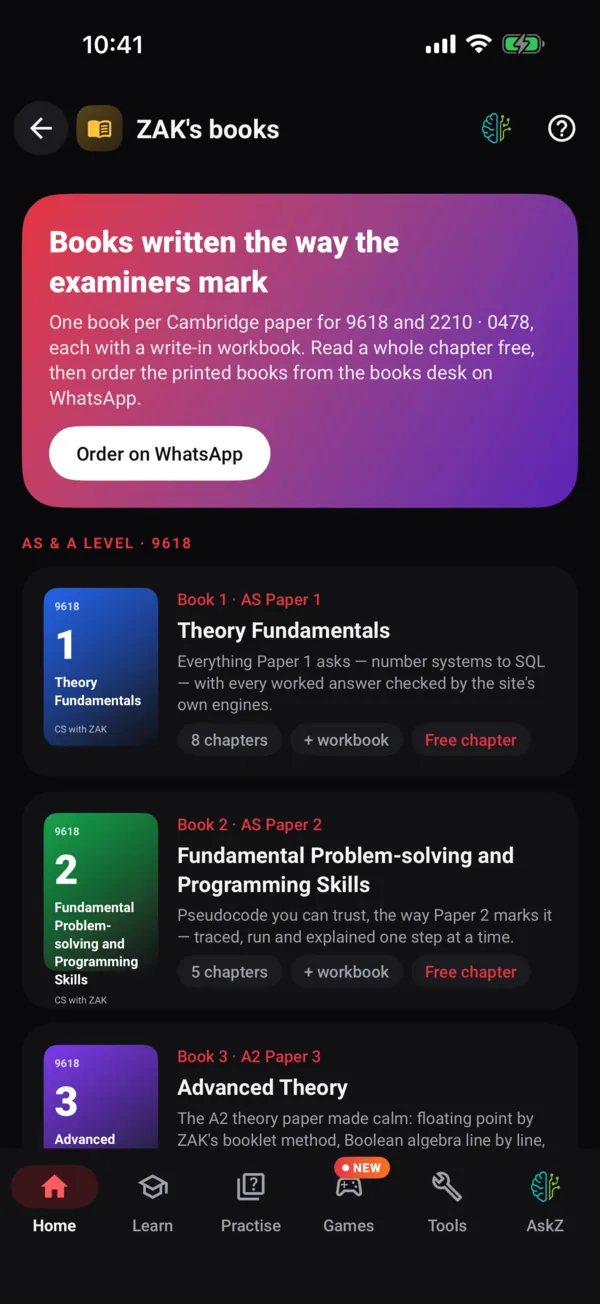
ZAK's books
Both shelves — 9618 and O Level / IGCSE — with a write-in workbook for every book, Exam Heat per chapter and a free chapter of each.
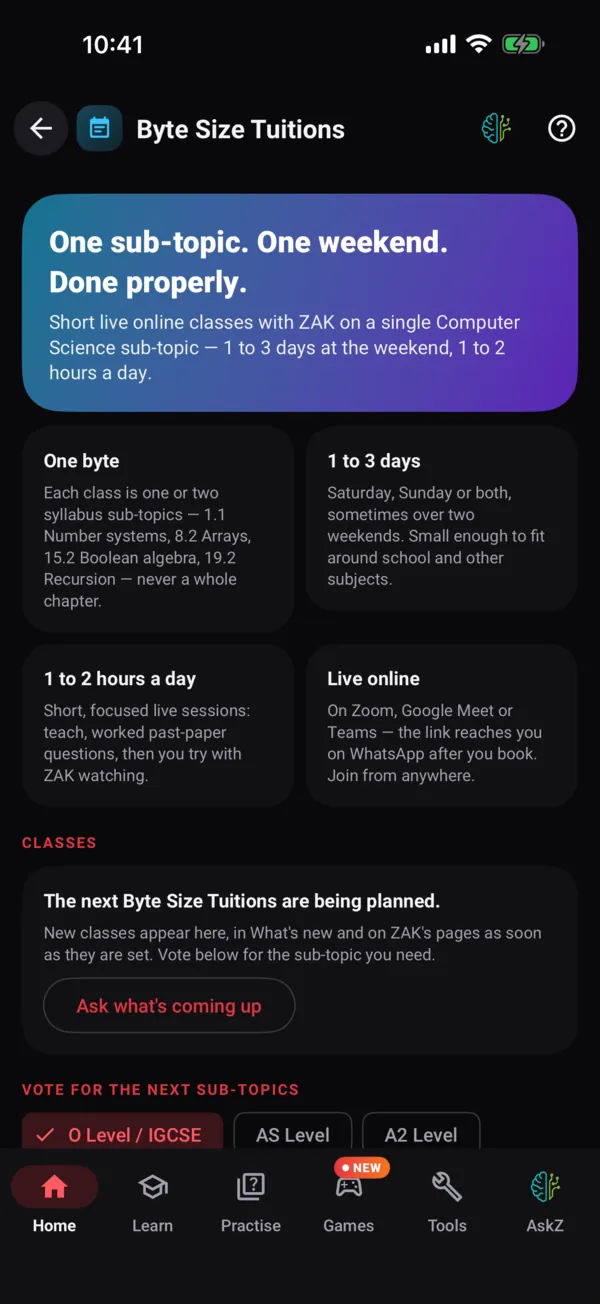
Byte Size Tuitions
One sub-topic over a weekend, live online. Class days in your own time, booking on WhatsApp, and the topic vote.
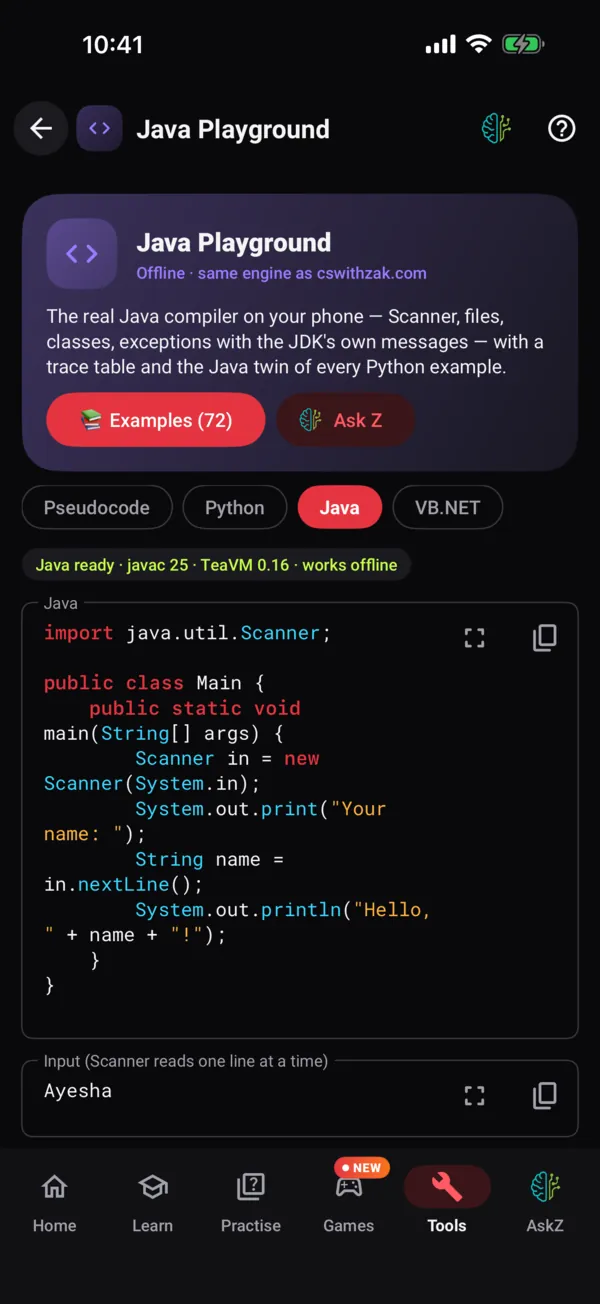
Java and VB.NET
Real javac and Roslyn on the phone, downloaded once and then offline — with the input box, files and a trace table.
Select your ink
Lasso what you wrote on a past paper and move, resize, recolour or delete it. Class-link results go back to your teacher too.
Recently in the apps
- Quizzes on one sub-topic, not only the whole topic · 6 Nov
- ZAPP on tablets: iPad and Android tablet layouts · 24 Oct
- Paper Builder: every paper built as a whole · 23 Oct
- One screen, one next step on the home page · 20 Oct
- A calmer site: fewer choices, one clear next step · 18 Oct
- Ask Z answers university and parents' questions · 17 Oct
Take the tour
Every screen does one job.
Real screenshots from ZAPP for iPhone, with a demo O Level student. Tap through — the Android app has the same screens.
01 / 14
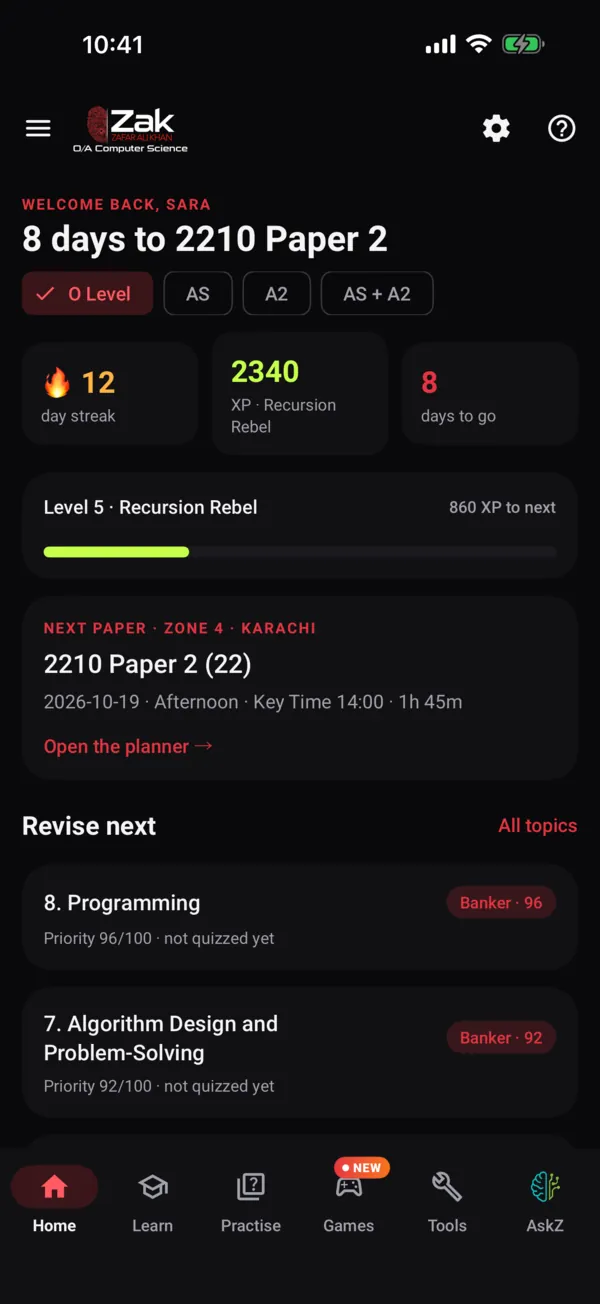
A home screen that gets you started
The days to your next paper, your level, one tap to today's run or to AskZ, and a What's new strip with everything that has just arrived — the labs, the books, the classes. The ☰ menu lists every screen and all 36 labs.
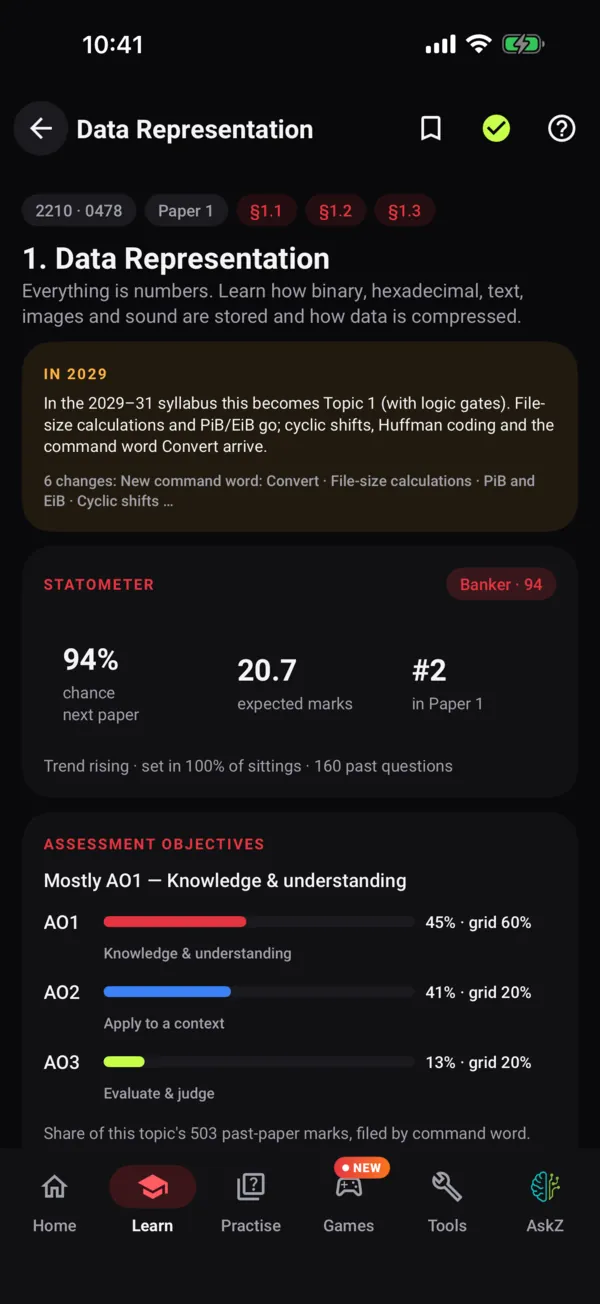
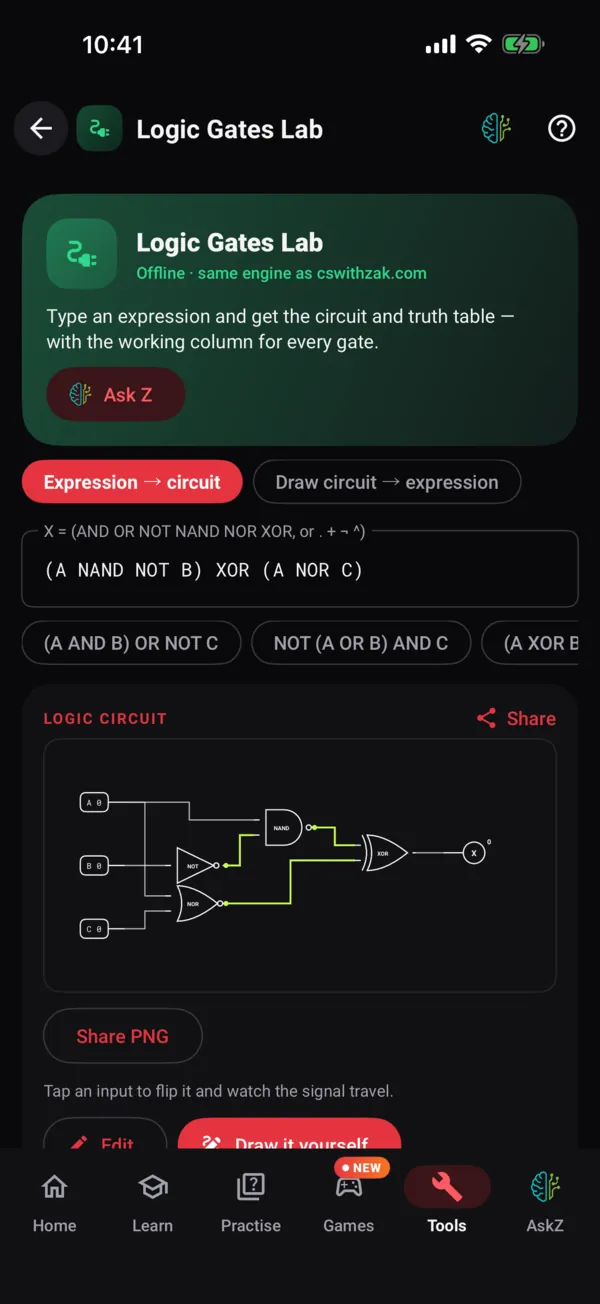
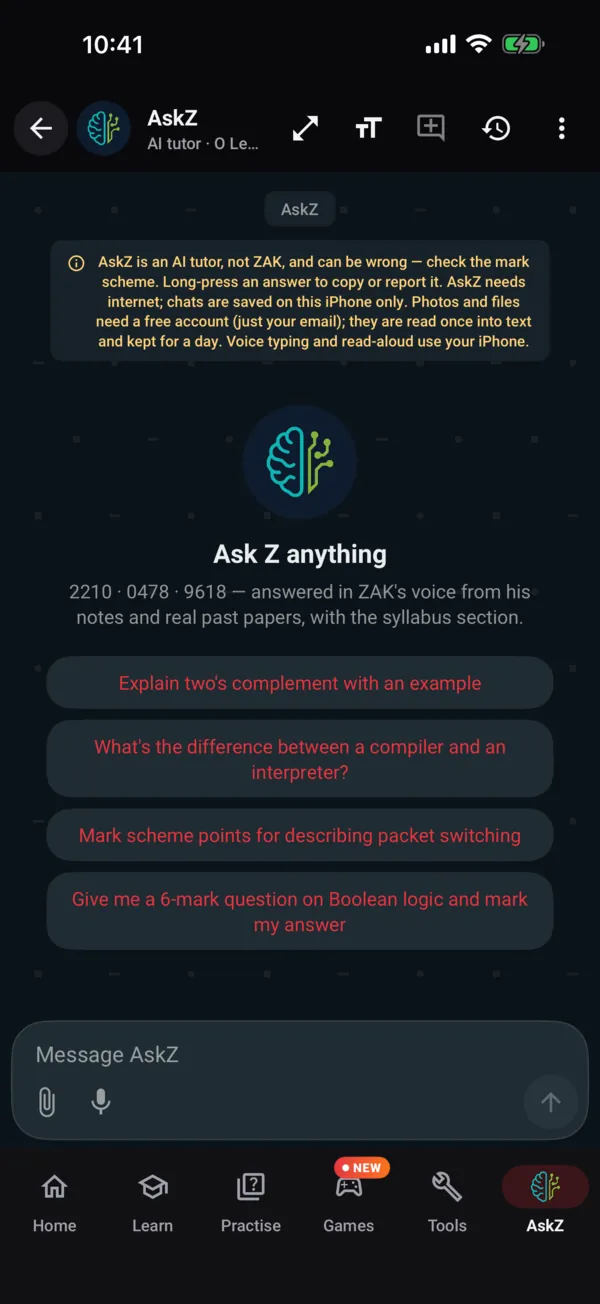
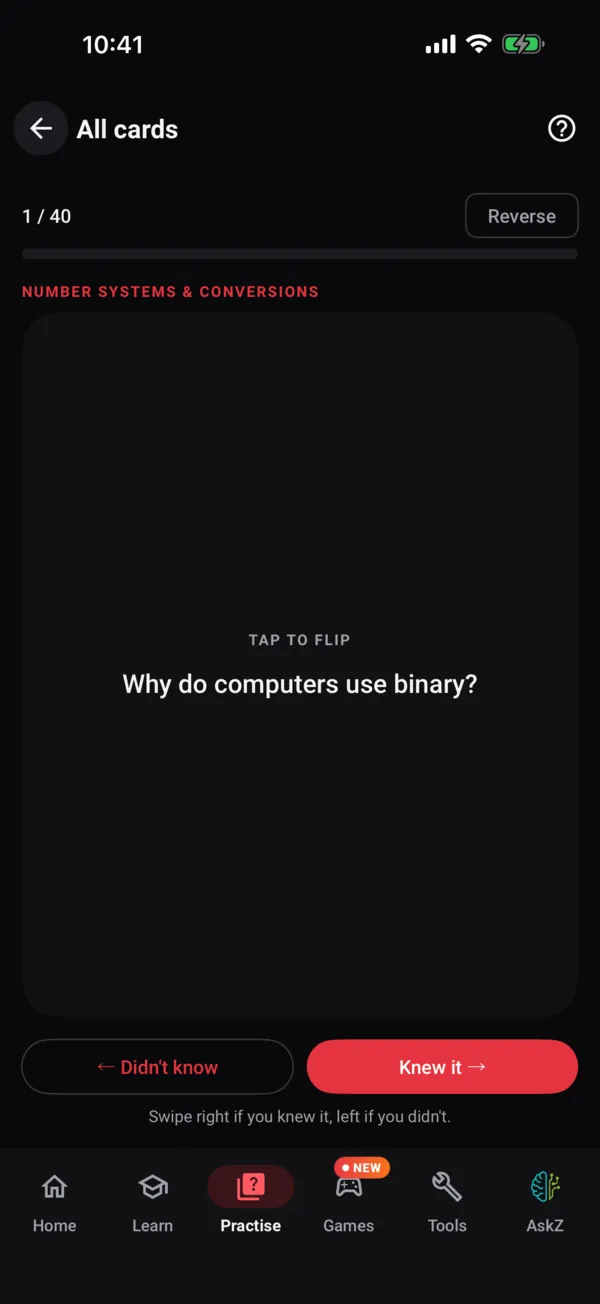
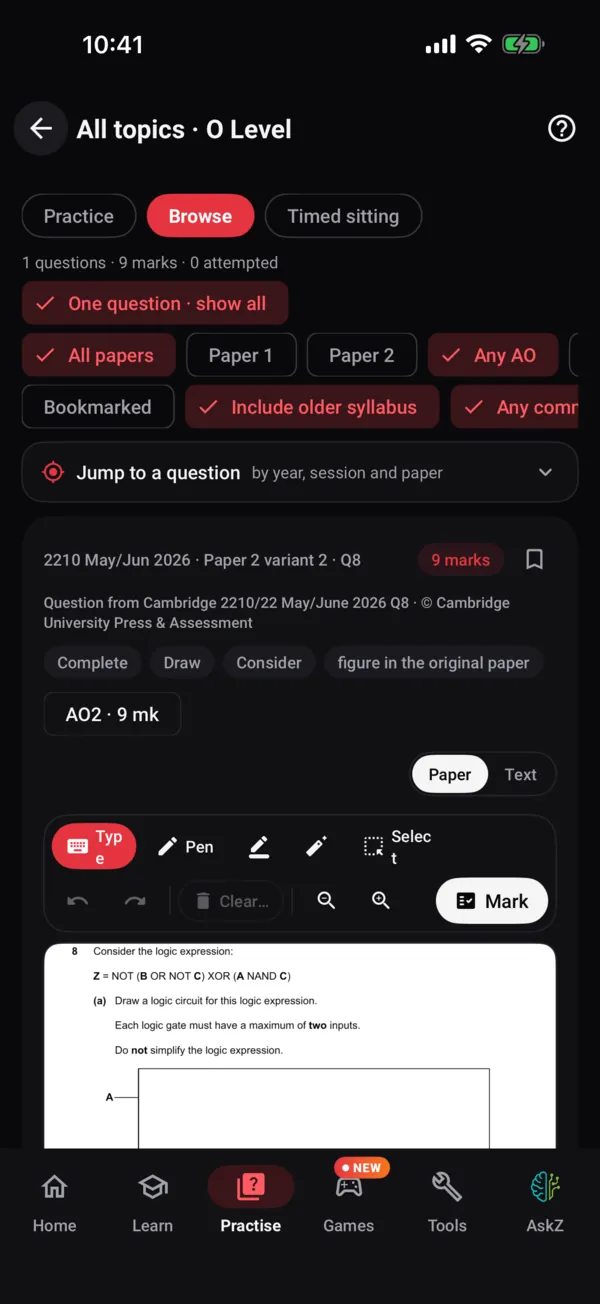
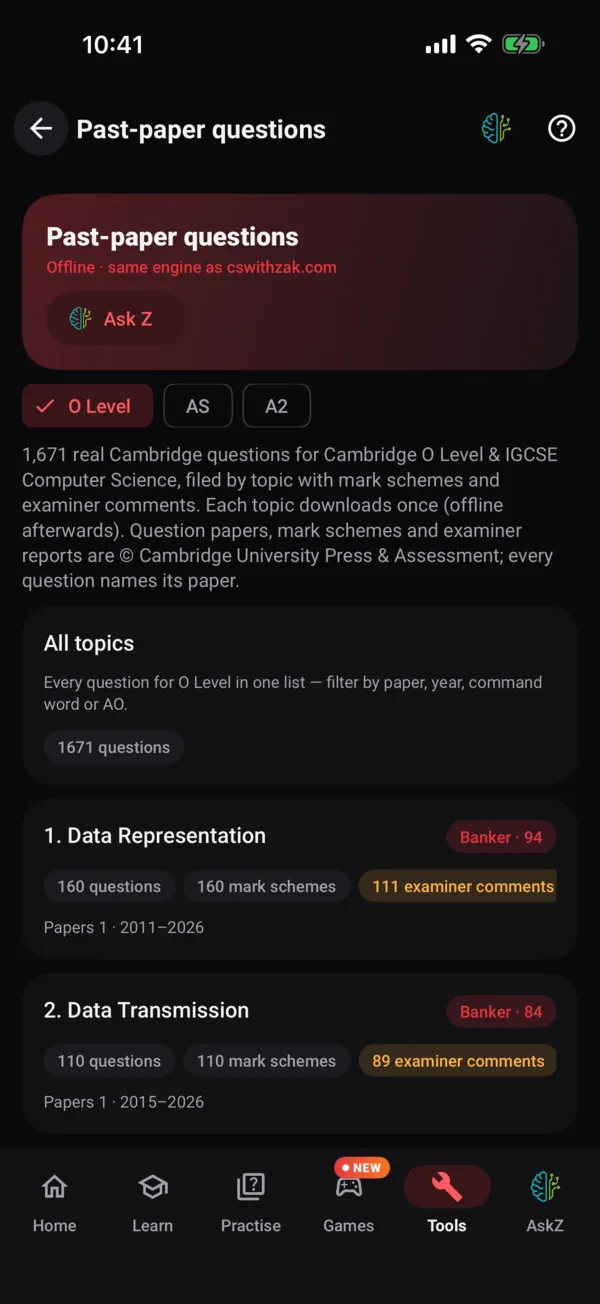
Answer on the paper. Get it marked.
Every past-paper question opens as Cambridge printed it. Write with your finger or Apple Pencil, then tap Mark — and the examiner's ✓ and ✗ go on the page.
- Ticks, tables, logic circuits, K-maps and binary arithmetic marked by the website's own engines
- Written answers marked by AskZ against the real mark scheme, part by part
- Code answers run in a real lab under the paper before they are marked
- Select your ink to move, resize or recolour it; zoom from 50 to 300 %
- Jump to any question by year, session and paper, bookmark it, or sit a timed paper
- Save your answered paper as a PDF — signed in, your work follows you to the website
36 labs
The website's engines, on the bus.
Every lab on cswithzak.com runs inside ZAPP with the same engine — the same output, the same exam-worded errors, the same “did you mean” hints. No signal needed.
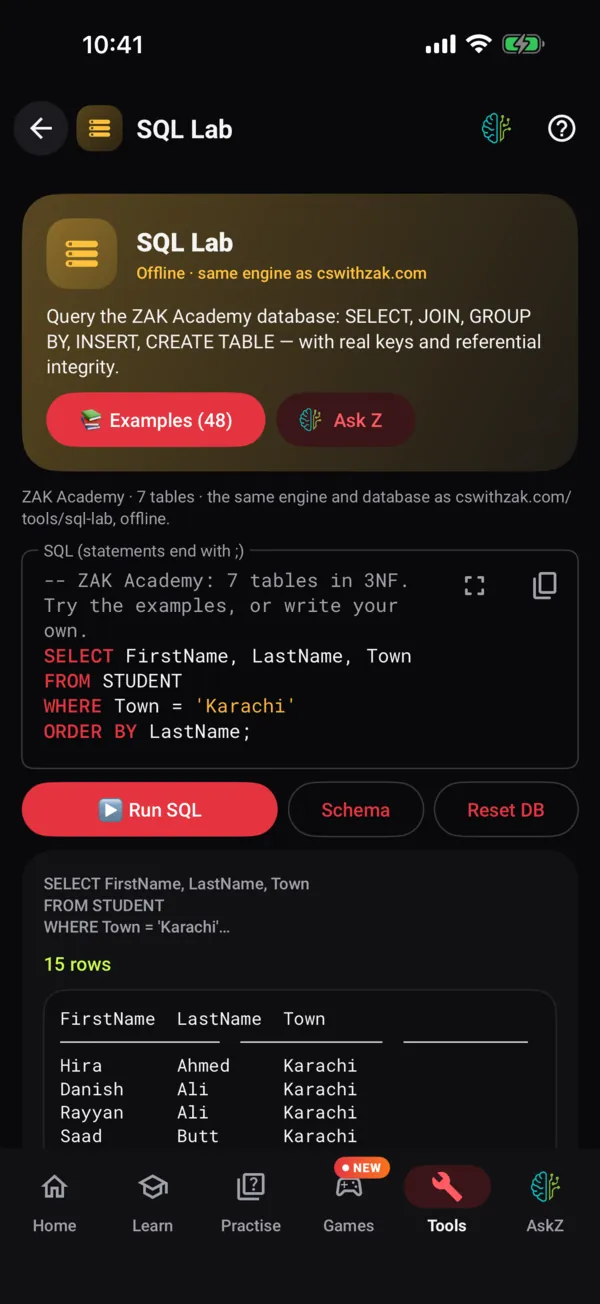
SQL Lab
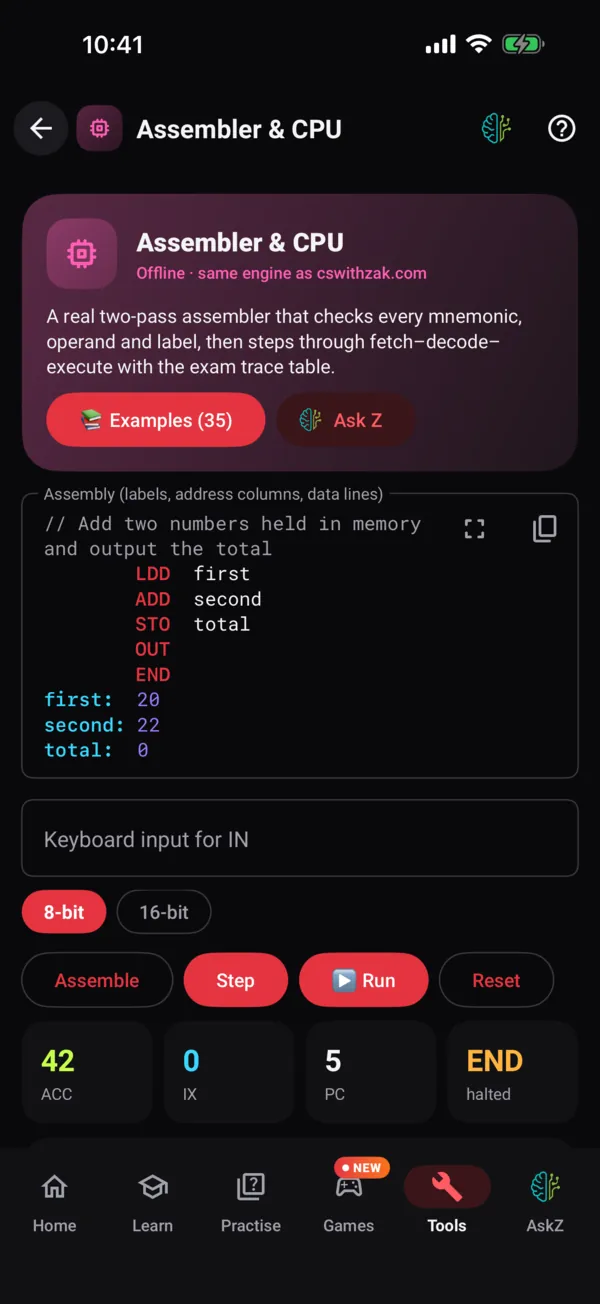
Assembler & CPU
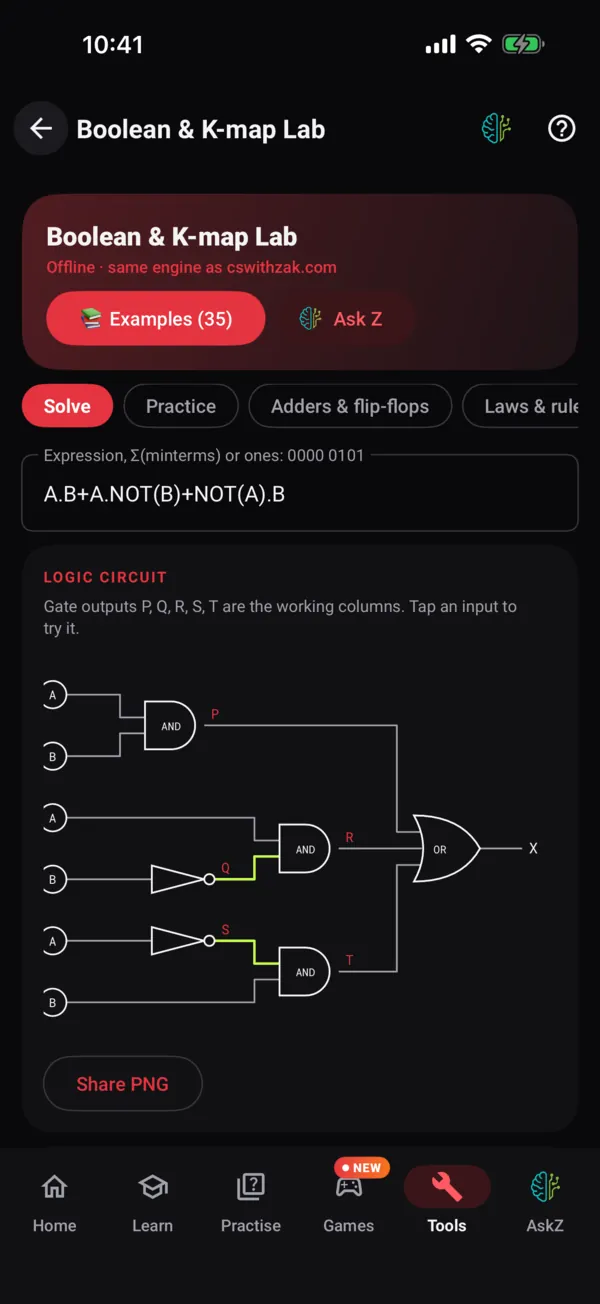
Boolean & K-maps
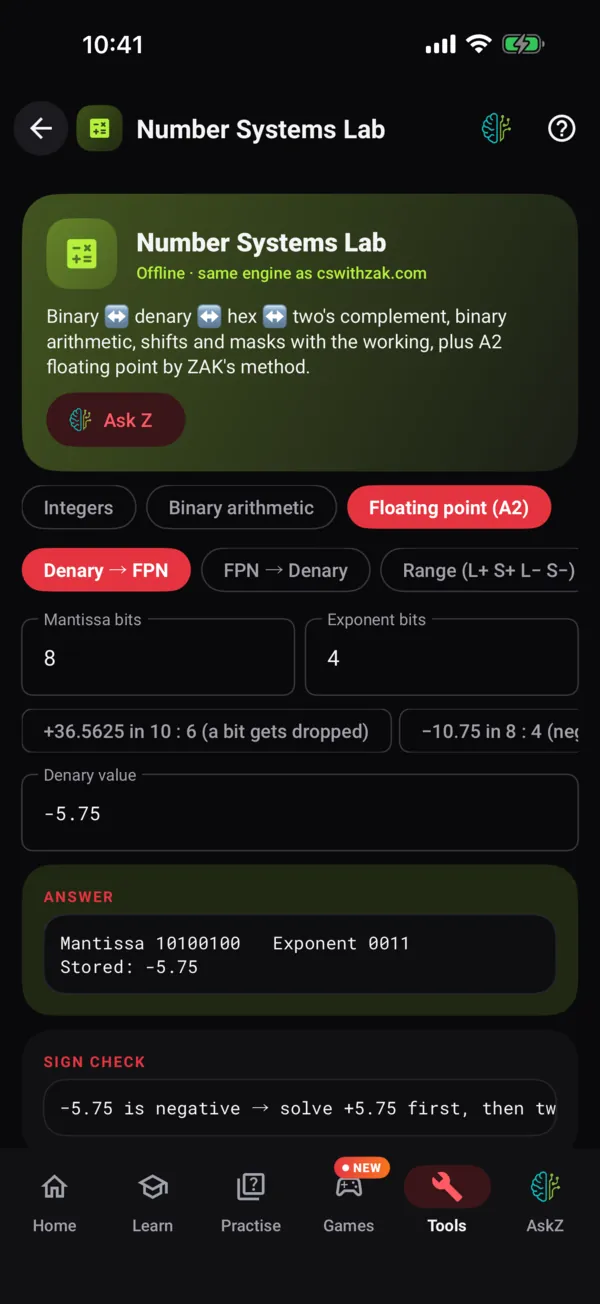
Floating point
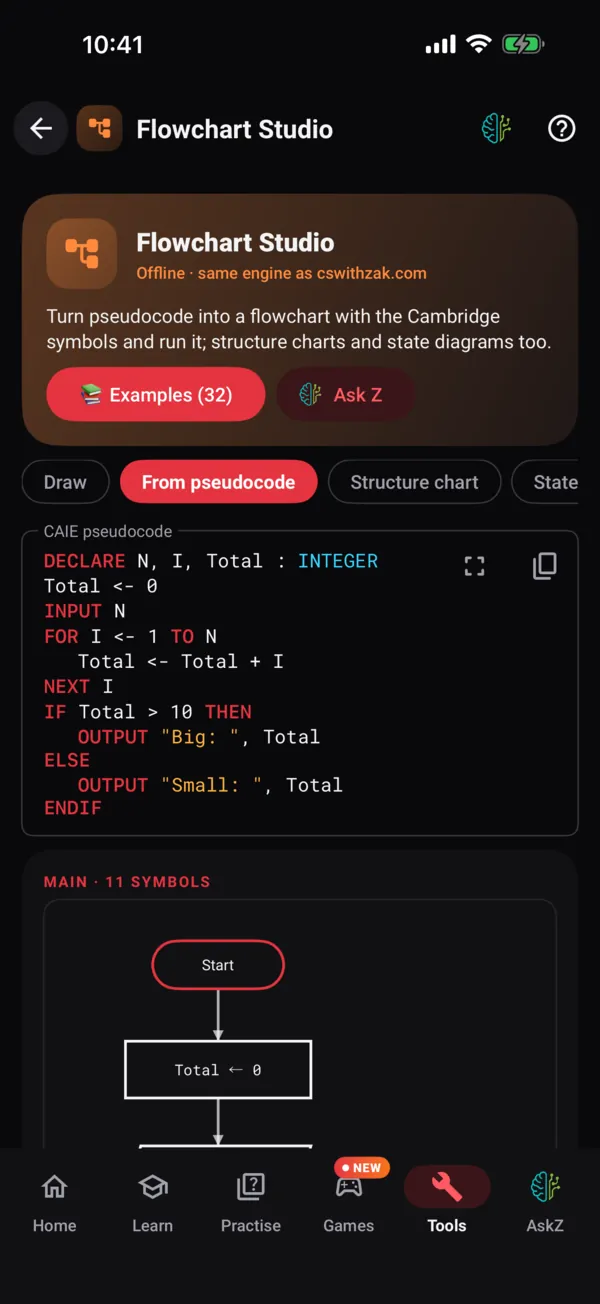
Flowchart Studio
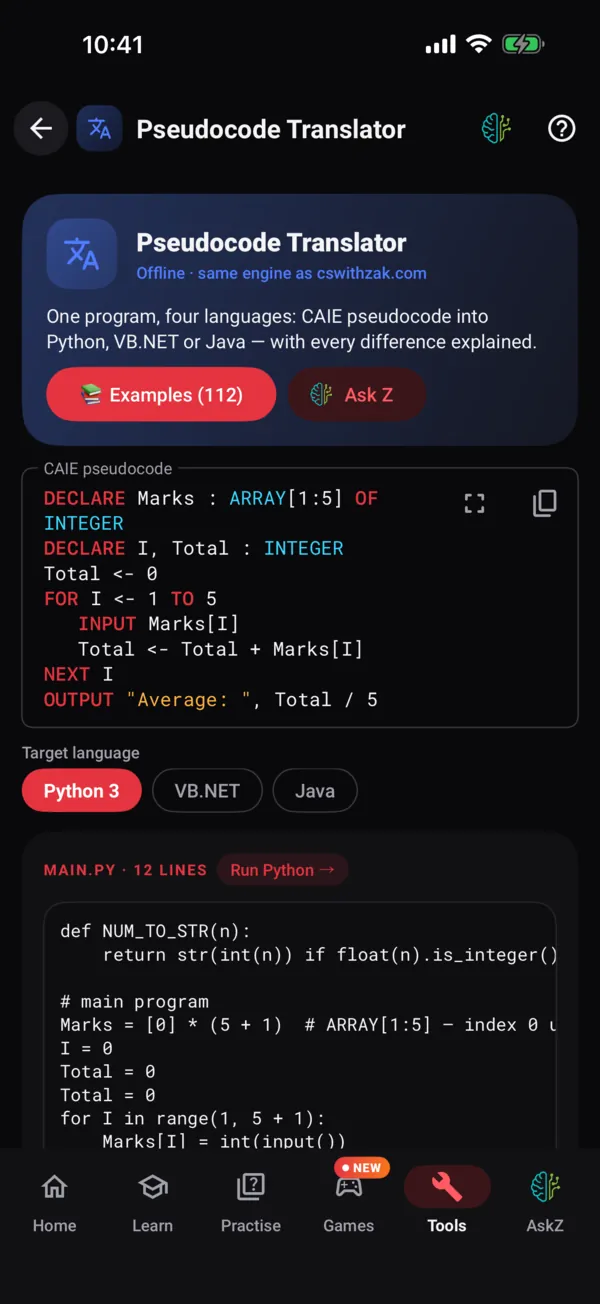
Translator
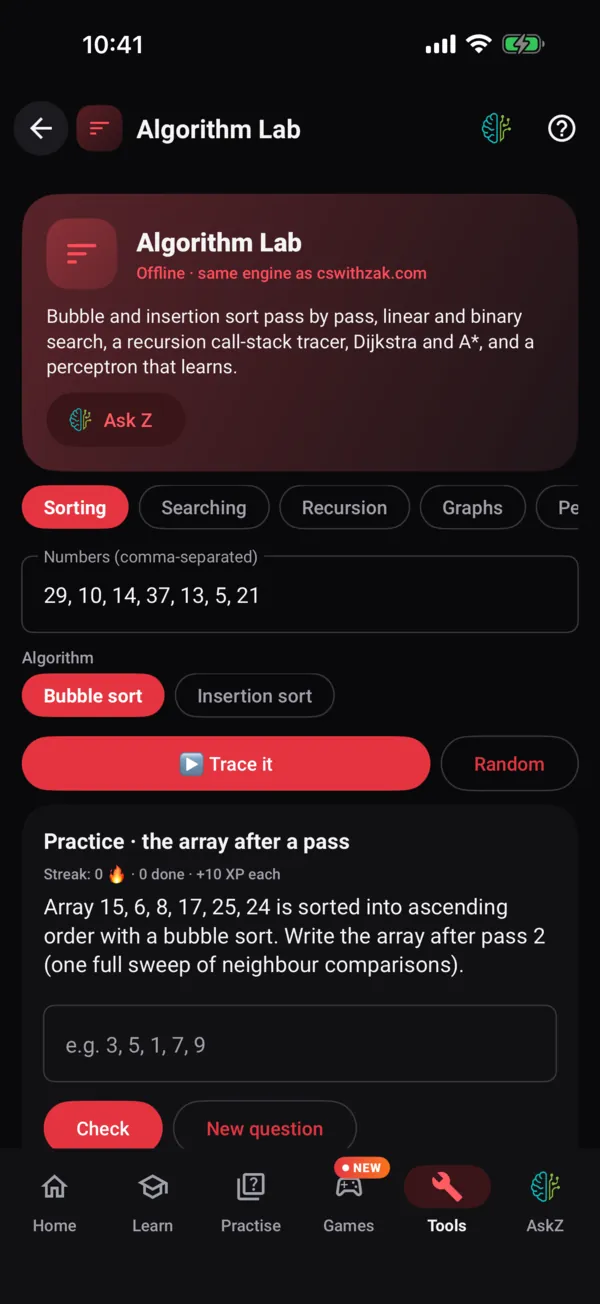
Algorithm Lab
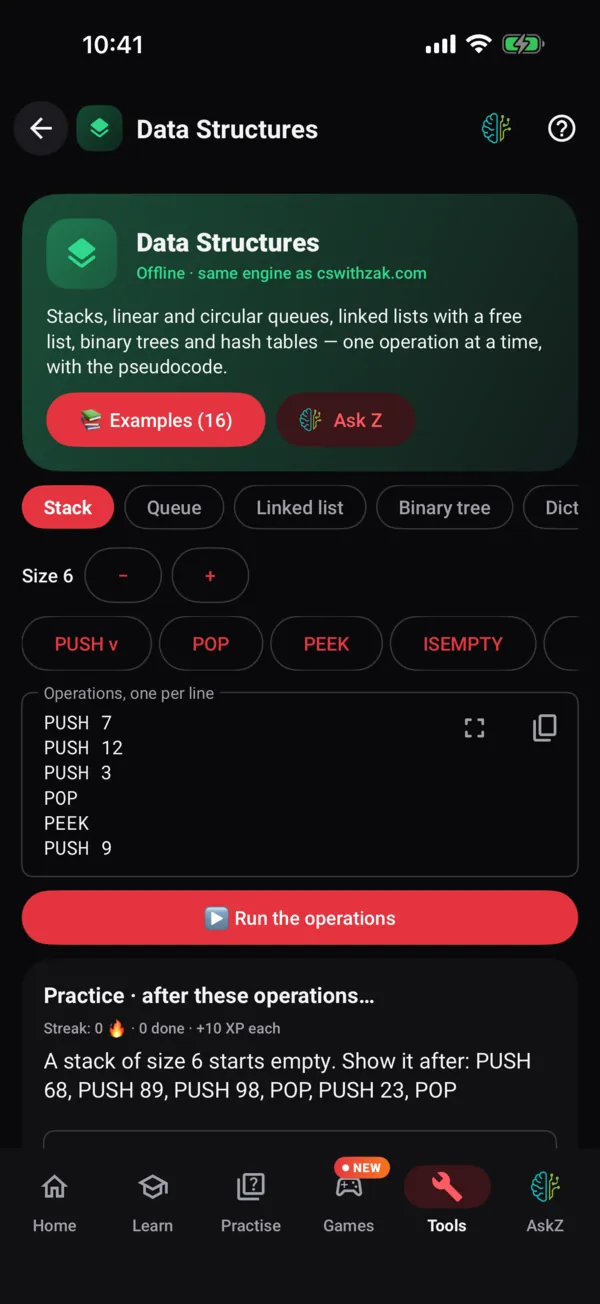
Data Structures
What's inside
Everything the website does, plus what only a phone can.
Same content, same interpreter, all 36 labs, same AskZ. Then a camera, notifications, offline storage and a screen that's always with you.
Every lab, offline
The pseudocode runner, SQL Lab, Assembler & CPU, Declarative Lab (Prolog), Flowchart Studio, Translator, Boolean & K-maps, Logic Gates, Number Systems (incl. ZAK's floating-point method), Data Lab, Networks, Database Designer, Compiler, Systems, OOP Designer, Testing Lab, Programming Tasks, Python Paths (O Level and Paper 4 Python, step by step), the Java and VB.NET Paths (Paper 4, step by step), Data Structures, Algorithm Lab, Statometer, Syllabus Map and the teachers' Paper Builder — the website's own engines inside the app, so every output, error and "did you mean" hint is identical. Python, Java and VB.NET run on the phone too: Python needs the internet once to fetch CPython, Java and VB.NET download the website's own compilers once (8 MB / 23 MB), then all three work offline.
TYPE Student
   DECLARE Name : STRING
   DECLARE Marks : ARRAY[1:3] OF INTEGER
ENDTYPE

DECLARE S : Student
S.Name ← "Sara"
OUTPUT LENGTH(S.Name)   // 4 — runs offline
AskZ, context-aware
Long-press any paragraph, question or line of code and ask, or attach a photo or a PDF, Word, PowerPoint or Excel file (with a free account). AskZ knows your level and topic, works out which question you mean, and shows today's allowance under the box.
Write on the real paper
Type, tick, fill tables, draw with a finger, stylus or Apple Pencil, build circuits and loop K-maps on the printed page — then Mark. Select your ink to move, resize or recolour it, sit a timed paper, and save your answered paper as a PDF. Signed in, your work follows you to the website.
Works without signal
Notes, papers, cards, quizzes, all 36 tools, the real past-paper question bank with mark schemes and examiner comments, 64 infographics and the Statometer stay on the phone. Progress syncs the moment you're back online.
ZAK's books
Both shelves — AS & A Level 9618 and O Level / IGCSE — with Exam Heat on every chapter, a free chapter of each book on cswithzak.com, and the printed books and write-in workbooks from the books desk on WhatsApp.
Byte Size Tuitions
Short live online classes with ZAK on one sub-topic over a weekend. Class days shown in your own time zone, booking on WhatsApp, and a vote for the next sub-topics.
For teachers: the Paper Builder
Teachers ask for access with a school email and ZAK approves each request. Build anything from a class test to a mock from real past papers and AskZ-written questions, change only the questions you pick, download a PDF and share one link your class sits. Students send their marks back from the app — never their answers.
Synced with the website
Start a quiz on your laptop, finish on your phone. XP, streaks, weak cards, bookmarks and what you write on past-paper questions are the same everywhere once you sign in.
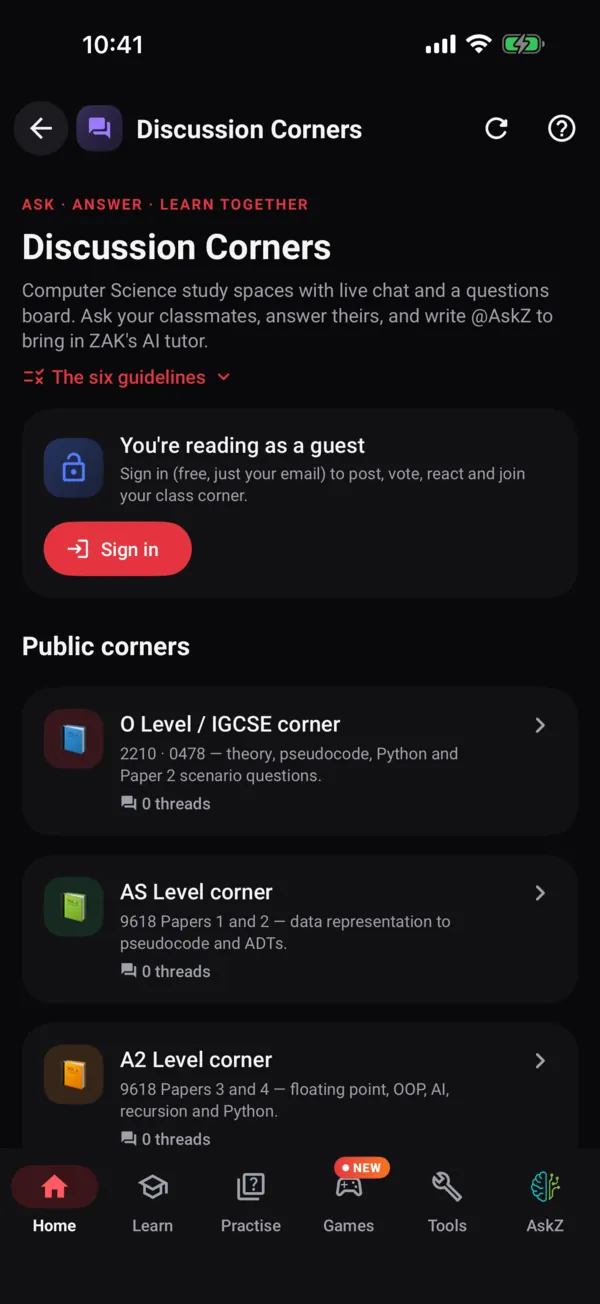
Discussion Corners
Ask a question or join the live chat with students taking the same papers, run any code block in the app's labs, and type @AskZ to bring the tutor into the thread. Needs the internet.
CS Games, a tab away
The website's 16 CS games have their own tab, open the game pages inside the app, join a class room with its 6-character code, and add the XP you earn to your progress.
The whole channel, by topic
ZAK's video lectures, past-paper solutions and revision sessions, tagged to every syllabus topic. Smart Notes, Assignments, command words, the syllabus documents and the next O Level / IGCSE edition are in the app too.
Reminders that respect you
Exam countdowns, a gentle daily nudge at the time you pick, and one alert when your Pomodoro focus block ends. Nothing else. Ever.
Private by design
No ads, no trackers, no analytics SDKs, no selling anything. Optional anonymous usage statistics follow the website's consent rules and switch off in Settings. Your progress lives on your device and in your own account.
Karachi traffic is now revision time.
Notes, papers, cards and quizzes live on the phone, and every lab engine is inside the app, so running and tracing code needs no server. When you're back online, your progress syncs quietly with the website.
- Progress, streaks and weak cards merge across devices, never overwrite
- What you write on a past paper — ink, typing, marks — follows you to the website
- Java and VB.NET compilers download once (8 MB / 23 MB), then run offline
- AskZ chats are saved on the phone only: search, pin, rename or auto-delete them
Aeroplane mode
still runs
Synced
laptop ↔ phone
ZAK's books and classes, a tap away.
Both shelves of ZAK's books — AS & A Level 9618 and O Level / IGCSE — each with a write-in workbook, every chapter's Exam Heat and a free chapter to read. And Byte Size Tuitions: one sub-topic over a weekend, live online, shown in your own time zone.
Books
Contents with how often each chapter's topic is set, the free chapter on cswithzak.com, and the printed book or the book + workbook pair from the books desk on WhatsApp.
See the booksByte Size Tuitions
1 to 3 weekend days, 1 to 2 hours a day. Book on WhatsApp, and vote for the sub-topics you want next — your top three, one ballot per level.
About Byte SizeNothing is sold inside the app — every order and booking is a WhatsApp message.
Glanceable
You'll see the countdown before you see Instagram.
Home-screen and lock-screen widgets on Android (the iPhone widget comes with the App Store release). One reminder a day at the time you choose, exam alerts for your own papers, and the end of your Pomodoro block. That's the whole list.
9618 Paper 2 · Zone 4
23days
09:00 Key Time · your zone
Name the three components of a von Neumann CPU.
Tap to flip · streak 🔥 12
ZAPP
now
Your Pomodoro block is done. Five minutes, then the next 25.
ZAPP
19:30
Daily nudge: 10 weak cards are waiting. You've done 12 days straight.
ZAPP
Sat
2210 Paper 2 is in 8 days. Today's run is ready.
Notifications are opt-in and can be switched off in one tap. No streak guilt-trips, no marketing.
iPhone, iPad & Android
Native on both. Second-class on neither.
Two native apps — SwiftUI on iPhone and iPad, Kotlin and Jetpack Compose on Android. Each uses what its platform does best, and both run the website's own engines, down to the pseudocode interpreter.
iPhone & iPad
iOS 17 or later
- All 36 tools offline — the website's engines in JavaScriptCore
- Write on the real past paper with Apple Pencil, palm rejection included
- Snap a question: camera or photo → the bank → mark scheme, read on the device
- AskZ with photos, files, voice questions and answers read aloud
- Home-screen quick actions: Ask Z, My day, Quick quiz
- iPad layouts in every orientation
Android
Android 9 or later · phones & tablets
- All 36 tools offline — its own JavaScript engine, 16 KB-page ready
- Home-screen and lock-screen widgets
- Quick Settings tile for AskZ
- Share any text to AskZ from another app
- Material You dynamic colour
- Snap a question: camera → mark scheme, on the device
| Feature | iPhone & iPad | Android |
|---|---|---|
| Offline notes, papers, cards, quizzes | ||
| Pseudocode Playground + trace tables | ||
| All 36 labs (SQL, Assembler, Prolog, K-maps, Paper Builder…) offline | ||
| Python, Java & VB.NET (one-time download, then offline) | ||
| Write on the real past paper, marked — with ink Select | ||
| Question Jump, bookmarks and timed sittings | ||
| AskZ with page context, photos, files and voice | ||
| Examiner Agent extras: questions, flashcards, "What examiners say" | ||
| ZAK's books and workbooks (order the print on WhatsApp) | ||
| Byte Size Tuitions: classes in your time + the topic vote | ||
| Discussion Corners and CS Games (need the internet) | ||
| Paper Builder for teachers + class links that report back | ||
| Exam planner with Cambridge zones | ||
| Full A Level (AS + A2 together) as a level | ||
| Snap a question (camera) | ||
| Home-screen & lock-screen widgets | ||
| Quick Settings tile / share sheet to AskZ |
And more
Planner, Statometer, Corners, Help…
A few more of the screens you'll use every week.
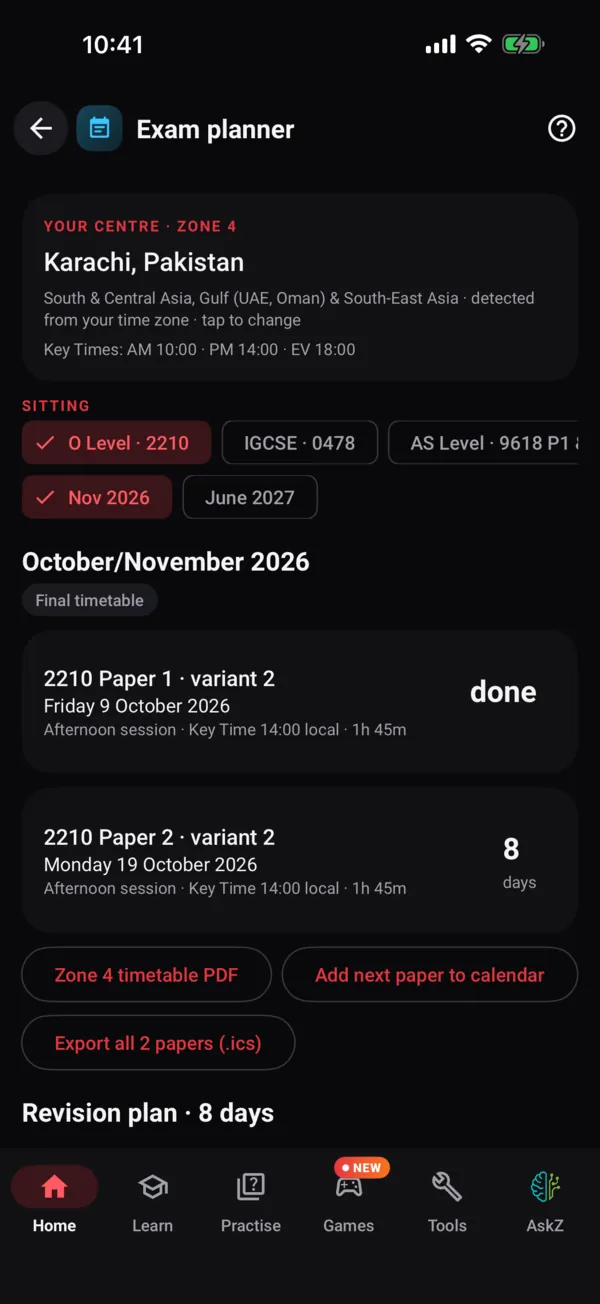
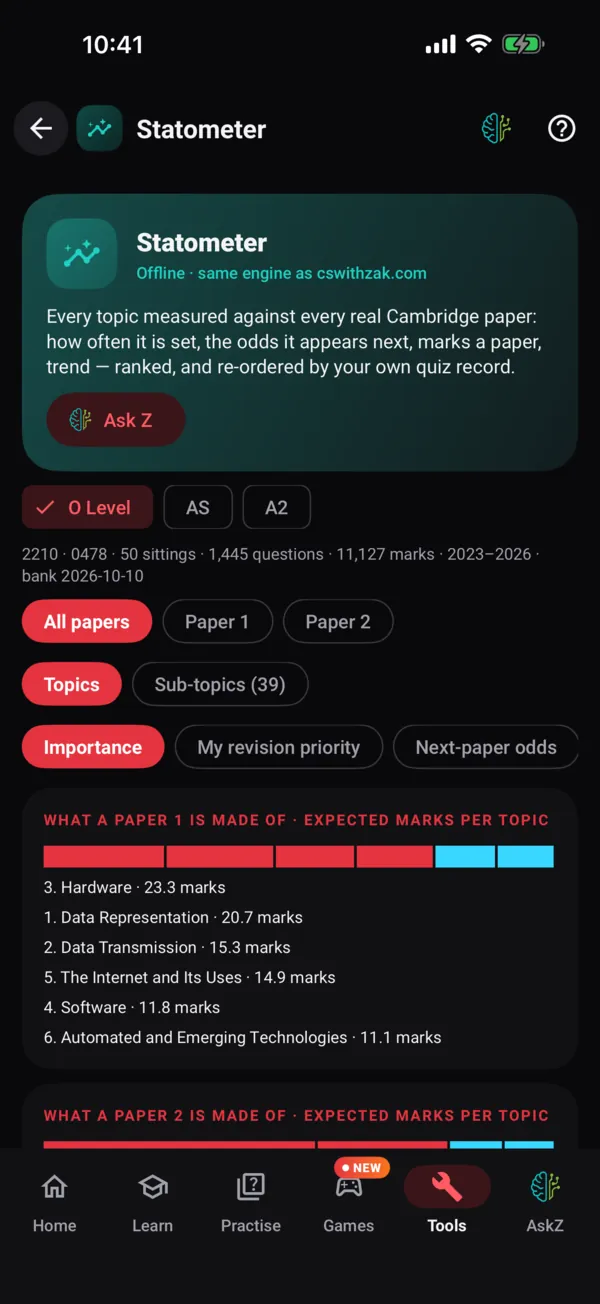
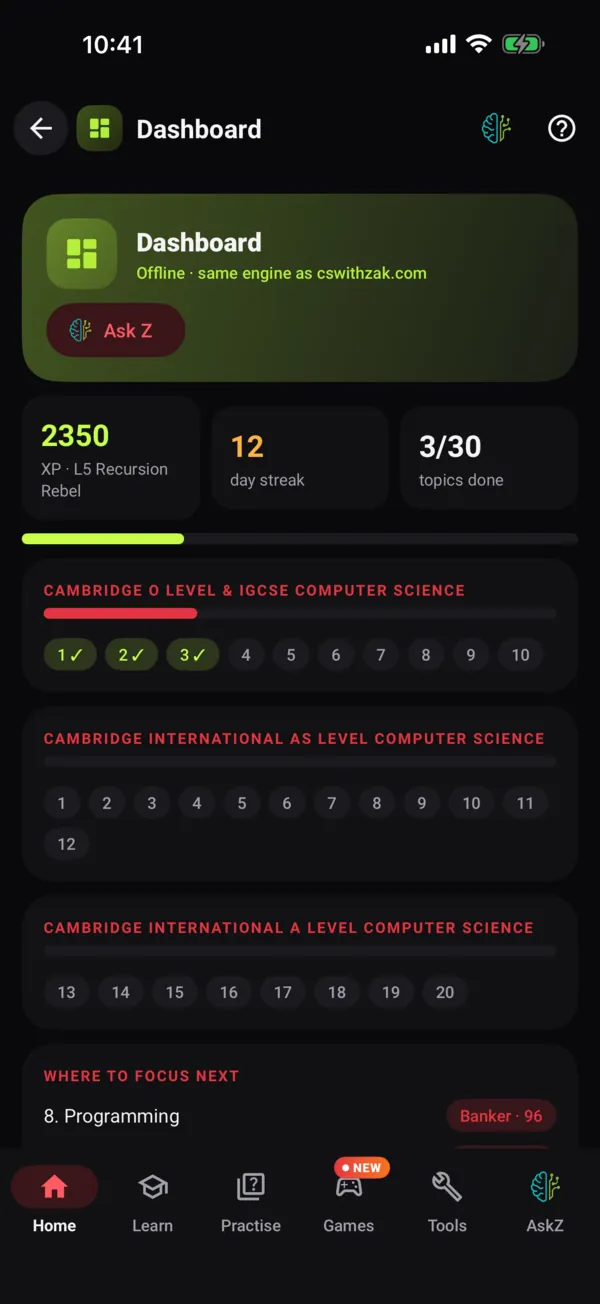
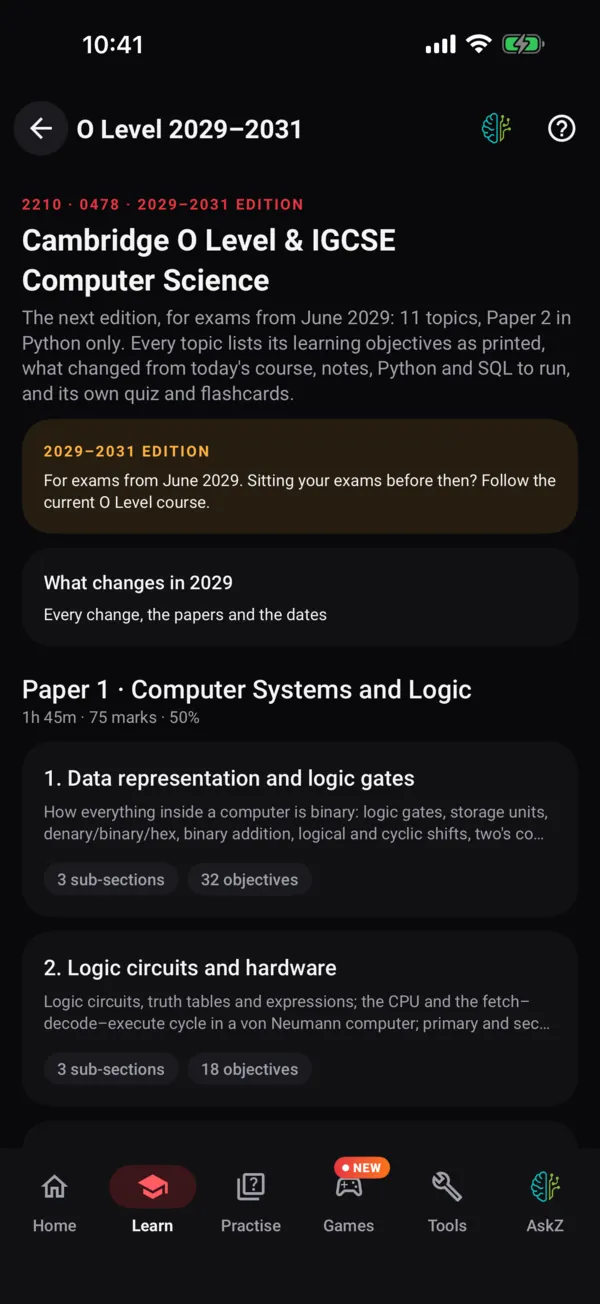
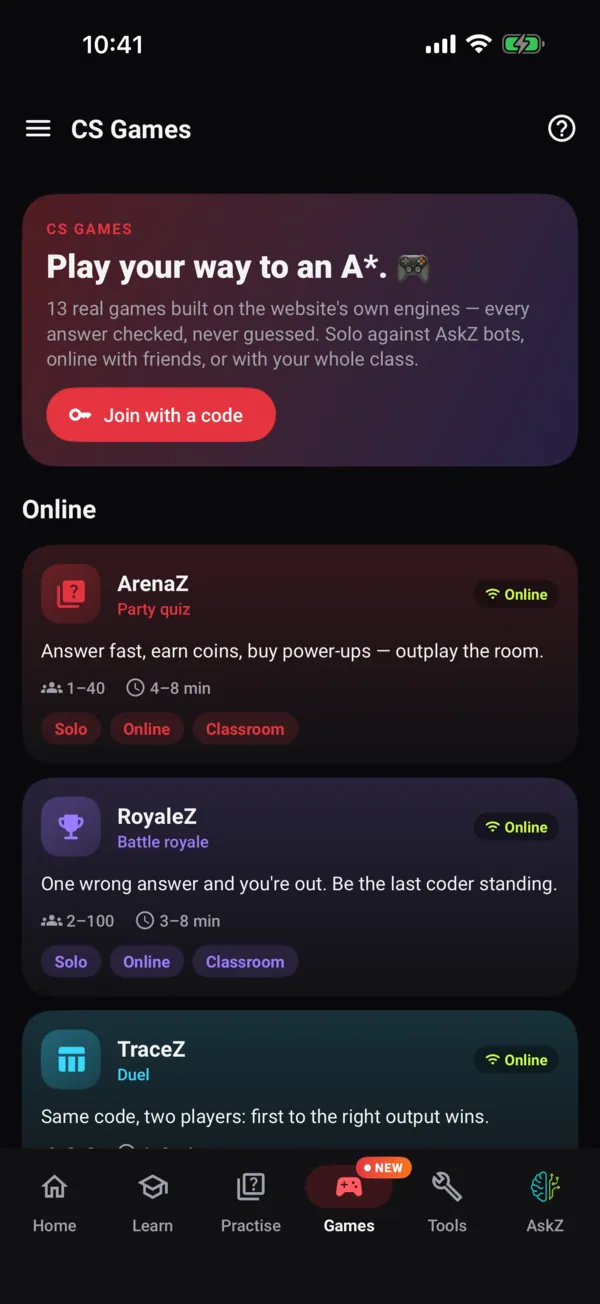
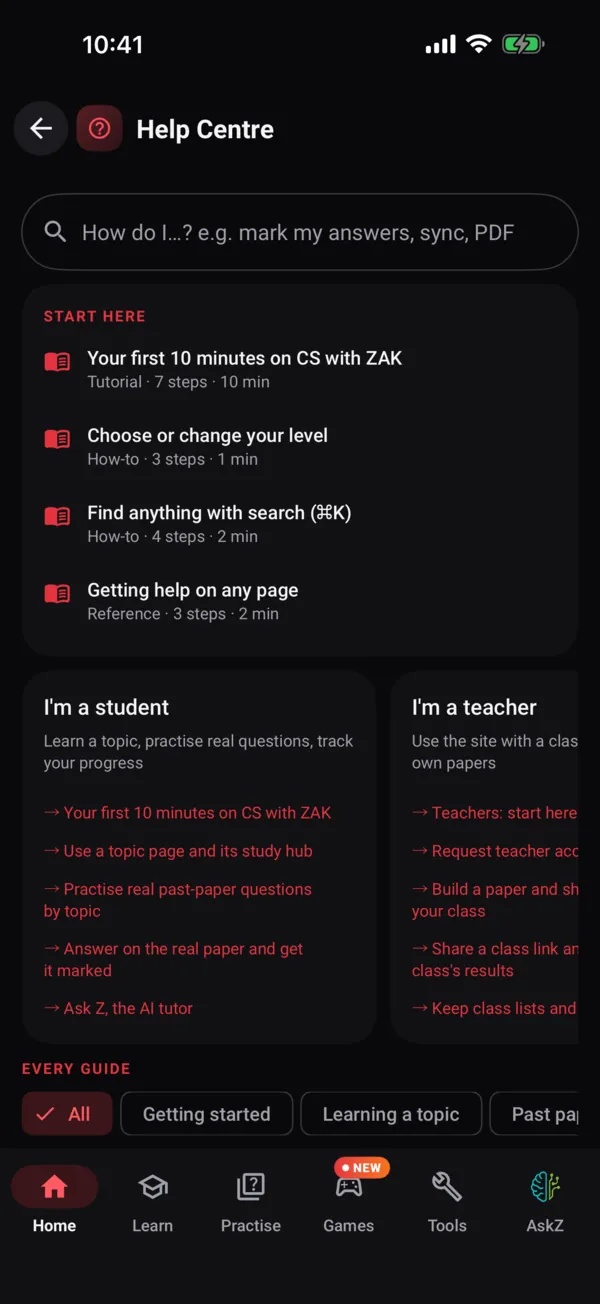
Roadmap
Where it is, where it's going.
Honest status, updated as it moves. The beta is real; the store listings go live when it's good enough for exam season.
- 1Now
Private beta
ZAPP for Android and for iPhone and iPad match the website screen for screen — every tool, the paper workspace, the books and Byte Size Tuitions — and ZAK's class groups test them on their own phones. Bugs are fixed weekly.
- 2Next
Open beta
Any student can join from this page: Google Play testing on Android and TestFlight on iPhone and iPad.
- 3Then
Store launch
Public release on Google Play and the App Store, timed before the May/June series.
- 4Later
iOS widgets, teacher mode
The iPhone home-screen widget and share sheet, then teachers assigning quizzes with deadlines and class heat-maps from the phone.
Be the first to break it.
Beta builds go out through Google Play testing and, on iPhone and iPad, TestFlight. Tell ZAK your level and phone, and you're in the next wave. Bug reports earn a shout-out in the app's credits.
Built with students, not just for them.
ZAPP is native SwiftUI on iPhone and Kotlin + Jetpack Compose on Android, with the website's TypeScript lab engines running inside both. If you're a ZAK student who codes, there is real work: lab screens, widgets, accessibility, translations. Your name ships in the app.
- Pair sessions with ZAK on the codebase
- A real repo, real reviews, a real line on your university application
- Stickers. Obviously.
FAQ
Questions students actually ask.
Is ZAPP free?+
Yes — like the website. No ads, no in-app purchases, no premium tier. ZAK's classes, books and Success Packs are the only things that cost money, and none of them is sold inside the app: classes and printed books are a WhatsApp message away, never an in-app purchase. The app may show one small, dismissable class card on the Dashboard close to your exams — never in games or labs, never with a price, and “Not now” hides it for 30 days.
Do I need an account?+
No. The app works without one. Signing in — the same passwordless email code as the website — turns on sync between your phone and the website (progress and your past-paper work), lets you add photos and files to AskZ, vote for Byte Size topics and send class-link results to your teacher, and gives AskZ a bigger daily allowance. You can delete everything with one tap.
Will it work on my old phone?+
iPhone and iPad with iOS 17 or later, and Android 9 or later. Downloaded topics take a few MB each. Java needs a recent system browser engine (iOS 18.4+, Android System WebView 137+); everything else runs on older phones.
Do the labs really work offline?+
Yes. Every engine — the pseudocode interpreter, the SQL engine and its ZAK Academy database, the two-pass assembler and CPU, the SWI-dialect Prolog, the K-map solver, the flowchart builder, the Paper Builder and the rest — is the website's own code, run on the device. Python downloads CPython (about 10 MB) and Java and VB.NET download the website's own compilers (about 8 MB and 23 MB) the first time you open them; after that they work offline too.
Can I read ZAK's books in the app?+
ZAPP shows both shelves with every chapter's Exam Heat and opens a free chapter of each book on cswithzak.com. Printed books and write-in workbooks are ordered from the books desk on WhatsApp.
What is missing compared with the website?+
Very little. Teachers' class-results pages, class lists and the School tab are on the website, and so is the website's site tour (the Help Centre itself is in the app — tap ? on any screen). On iPhone, the home-screen widget and the share sheet are waiting for the App Store programme. AskZ, the CS Games and the Discussion Corners need the internet; everything else works offline.
What does the app know about me?+
Only what it needs: your level, which questions you've seen and missed, and your reminder time. No location, no contacts, no ad identifiers. Your email only if you choose to sign in, and usage statistics (screen names only) that you can switch off in Settings. A photo or file you attach to AskZ goes to ZAK's server to be read and is not kept there as a file.
I'm a student who codes. Can I help?+
Please. ZAPP is two native apps in the website's repository: Kotlin and Jetpack Compose for Android, SwiftUI for iPhone and iPad, both running the website's TypeScript engines (a built-in JavaScript engine on Android, JavaScriptCore on iOS). Message ZAK on WhatsApp with what you'd like to work on.
The stores say “coming soon”. What do I use today?+
This website is already an installable app (a PWA). On iPhone: Share → Add to Home Screen. On Android: browser menu → Install app. Your progress carries over to ZAPP when you sign in.
Can't wait? This site already installs like an app.
cswithzak.com is a Progressive Web App: full-screen, its own icon, works offline for pages you've opened, and your progress carries into ZAPP when you sign in.
iPhone / iPad
- Open cswithzak.com in Safari
- Tap Share
- Tap Add to Home Screen
Android
- Open cswithzak.com in Chrome
- Tap the ⋮ menu
- Tap Install app
